Key Takeaways:
- A clear CRM migration process starts with the right scope, clean data and a realistic plan.
- When migrating to HubSpot CRM, check how your HubSpot partner will handle data quality, integrations, training and support.
- South African businesses need to consider POPIA data privacy and compliance before moving customer information into HubSpot.
- The total cost of ownership includes more than HubSpot licenses, such as onboarding, data work, integrations and ongoing support.
- Timeframes for migration vary depending on your legacy CRM, data quality, system complexity and internal availability.
|
Choosing the right HubSpot migration partner takes more than checking their certifications.
The right partner should understand both the technical side of the CRM migration process and how the move will affect your teams. South African businesses may also need to account for complex integrations, strict data requirements and processes that have been shaped around legacy systems over time.
Asking the right questions upfront can help you avoid costly rework, protect the quality of your data and set up HubSpot to support the way your business actually works.
Seven factors to review before making your decision.
1. ✅Choose an onboarding & migration approach that fits your business
Moving to a new CRM can disrupt the way teams work, especially when they’re accustomed to existing systems, spreadsheets and processes.
Your onboarding partner should understand more than HubSpot. They need to understand:
- How your business processes work
- How information moves between teams
- What each team needs from the system every day
For some businesses, this could mean linking support activity with customer health, renewals and account data. For others, it may mean setting up HubSpot with tighter controls around sensitive information, access and stakeholder relationships.
What to ask a potential partner
Ask how they adapt their onboarding process for your industry as well as regulated or technically complex businesses. Request examples of similar implementations and find out what they changed to suit each client’s requirements.
The onboarding plan should also cover:
- Training
- User adoption
- Post-migration support
A CRM can be configured well, but it won’t deliver much value if teams don’t know how to use it or quickly return to old habits.
The right onboarding partner will help your teams understand the change, show them how HubSpot fits into their day-to-day work and continue supporting them after the migration is complete.
🎯How does Spitfire Inbound approach HubSpot onboarding?
We don’t start with a standard HubSpot setup and expect your teams to adapt to it. We take the time to understand how your business works, where your current processes are falling short and what each team needs from the CRM.
Learn more about our onboarding process.
|
2. 🏆Look for relevant migration and industry experience
CRM migrations can become complicated quickly, especially when years of data, custom fields, integrations, and old processes are involved.
Your potential partner should have experience moving data from legacy CRMs into HubSpot. They should know how to handle challenges such as:
- Duplicate records
- Missing associations
- Unusual data structures
- Historical activity
- Data quality
Industry knowledge is also valuable. Your partner needs to understand the type of data your business relies on.
This may include subscription, support and renewal information, as well as sensitive records that require tighter controls around access, consent and processing.
Check your migration partner’s HubSpot credentials
Relevant accreditations and certifications can give you added confidence that the team understands the planning, testing and stakeholder management involved in a complex migration.
Ask potential partners:
- Which platforms have you migrated from?
- What challenges have you faced?
- How did you resolve them?
Relevant experience won’t remove every risk, but it should help your partner identify potential problems before they affect the project.
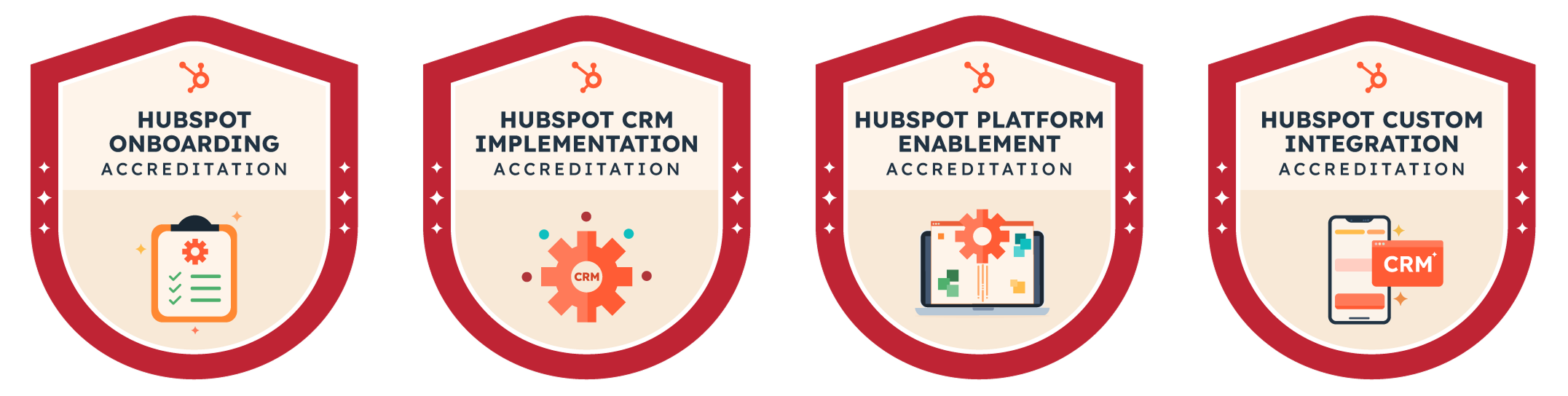
| 🎯Spitfire Inbound holds HubSpot accreditations in CRM Implementation, Onboarding, Custom Integration and Platform Enablement, along with a CRM Data Migration Certification. Together, these reflect the team’s strength across both the technical and adoption sides of CRM migration. |
3. ✨Protect data quality throughout the migration
Moving data into HubSpot won’t fix the data challenges already sitting in your current CRM.
If the database contains duplicates, outdated records or inconsistent fields, those issues will move across too.
Review your database before migration
Before anything is imported, the existing database should be checked for:
- Duplicate contacts and companies
- Incomplete or outdated records
- Invalid email addresses
- Inconsistent field values
- Unused custom fields
- Missing owners
- Conflicting lifecycle stages
- Broken relationships between records
- Records that no longer have a clear business purpose
- Inaccurate associations
Create a clear data map
The next step is data mapping.
Every field in your current CRM needs a clear place in HubSpot, including the relationships between different records.
Some information may fit into standard HubSpot properties, while more complex data may require custom properties or objects.
Complete a test migration
A test migration in your sandbox or UAT environment gives your team a chance to confirm that:
- Records have moved correctly
- Associations are intact
- The information still makes sense in the new system
Your partner should also provide:
- A clear mapping document
- Record counts before and after the migration
- A process for resolving anything that fails or appears incomplete
The migration isn’t complete when the data has been imported. It’s only successful when your teams can find the right information and trust what they’re seeing.
4. 🔏Plan for POPIA data privacy and compliance
POPIA and GDPR shouldn’t be treated as a final check once the data is already in HubSpot.
Decisions about what information will move, why it’s being kept, who can access it and where it will be hosted need to form part of the migration plan from the start.
How can South African businesses maintain POPIA compliance during CRM migration?
Before importing customer records, review:
- Why each type of information was collected
- Whether the information is still needed
- Whether your business has a lawful reason to continue processing it
Unnecessary data should be removed, while consent, objections and communication preferences must be carried across accurately.
Your pre-migration privacy review should cover:
- Where the information came from and why it was collected
- Whether it’s still relevant and necessary
- The lawful basis for processing it
- Marketing consent and opt-out records
- Data retention requirements
- User roles and access permissions
- Personal information relating to children
- Special personal information
- Data that may be hosted or processed outside South Africa
Consent is essential when customer information will be used for marketing emails, WhatsApp, SMS or other direct marketing.
For other business purposes, there may be a different lawful reason for processing the data. Each use should therefore be reviewed separately before migration and confirmed by legal advice from your legal team or consultant as required.
5. 🔗Check how HubSpot will connect with your existing systems
Your CRM needs to work with the rest of your tech stack.
HubSpot can connect with third-party software through:
This may include accounting platforms, ERP systems, messaging channels, service tools, billing software, and internal applications.
HubSpot’s data sync can also keep supported records up to date across connected systems. This can reduce manual data capture and give teams access to more consistent information and prevent the team having to work in multiple tools.
Finding an available integration is only the first step. Please confirm that it supports the way your business works.
Before selecting an integration, check:
- Which system will own each type of data
- Whether information needs to move in one or both directions
- Which records, fields and relationships are supported
- How often the data will sync
- How duplicates will be identified and prevented
- What happens when a sync fails
- Which HubSpot and third-party subscription tiers are required
- Who will maintain the integration after launch
Your migration partner should recommend the right approach for each requirement, whether that’s:
- Standard HubSpot configuration
- A Marketplace app
- A custom integration
Each option will affect the project’s cost, timeframe and ongoing maintenance.
6. 💰Understand the full CRM total cost of ownership
The cost of moving to HubSpot goes beyond the software licence. To understand the full investment, you also need to account for the work involved in preparing your data, configuring the portal, connecting other systems and helping your teams adopt the new CRM.
What determines the CRM total cost of ownership when switching to HubSpot?
The total cost of ownership may include:
- HubSpot licenses and user seats
- Onboarding and implementation fees
- Data auditing, cleaning and migration
- Integration setup or custom development
- Third-party software subscriptions
- Training and change management
- Ongoing support and optimisation
- Time required from your internal teams
Ask potential partners for a detailed breakdown of what’s included in their proposal. Data preparation, historical activities, custom reporting, additional training and integration work may fall outside a standard migration package.
It’s also important to separate once-off project costs from monthly or annual expenses. For example, an integration may come with an initial setup fee as well as an ongoing subscription or maintenance cost.
A lower upfront quote isn’t always the more affordable option. If important work has been left out of the scope, those costs may appear later as additional development, change requests or internal clean-up.
Comparing the investment over three years gives you a clearer view of the CRM total cost of ownership, including what it will take to maintain and improve HubSpot after launch.
7. 📆Setting timeframes and support
A realistic migration timeframe depends on:
- The condition of your data
- The number of teams involved
- How many systems need to connect with HubSpot
As a general guide:
- Two to four weeks: A smaller setup with clean data, limited configuration and no complex integrations.
- Six to ten weeks: A mid-sized migration involving several teams, pipelines, automations and standard integrations.
- Ten weeks or longer: A more complex migration with large datasets, custom objects, multiple systems or detailed compliance requirements.
These are planning ranges rather than fixed timelines.
Data issues, integration challenges, delayed approvals, and limited internal availability can all affect the schedule.
A clear migration plan should include time for:
- Discovery and requirements gathering
- Data auditing and cleaning
- HubSpot configuration
- Integration setup
- Test migrations
- User acceptance testing
- Final data transfer
- Team training
- Go-live support
Your partner should also explain how they’ll reduce disruption during the move. This may include phased rollout, a short data-freeze period and a final transfer of records that changed after testing.
Change management and training
Your teams need time and support to prepare for the change.
Change management should form part of the migration plan, with clear communication about:
- Why the move is happening
- What will change
- What each team will need to do differently
Training should reflect how each team will use the CRM, with clear guidance on new processes, required fields and where to get help.
Plan for support after launch
Support shouldn’t end once the portal goes live.
Ask your potential partner:
- What support will be available during the first few weeks?
- How will issues be reported and handled?
- Will they review adoption, data quality and system performance after launch?
A realistic migration plan should include giving your teams enough time to test the system, understand the changes and settle into HubSpot with the right support.
🎯Why choose Spitfire Inbound for your HubSpot migration?
Our Navigator Approach guides the migration from early discovery and planning through to configuration, deployment, training and ongoing improvement.

We look beyond the technical setup to understand how the CRM needs to support your people, processes and wider revenue operation. This helps us shape HubSpot around the way your teams work, prepare them for the change and continue improving the platform after launch.
By launch, your teams have more than a configured portal. They have a system they understand, a clear way of working and the support to keep getting more from HubSpot.
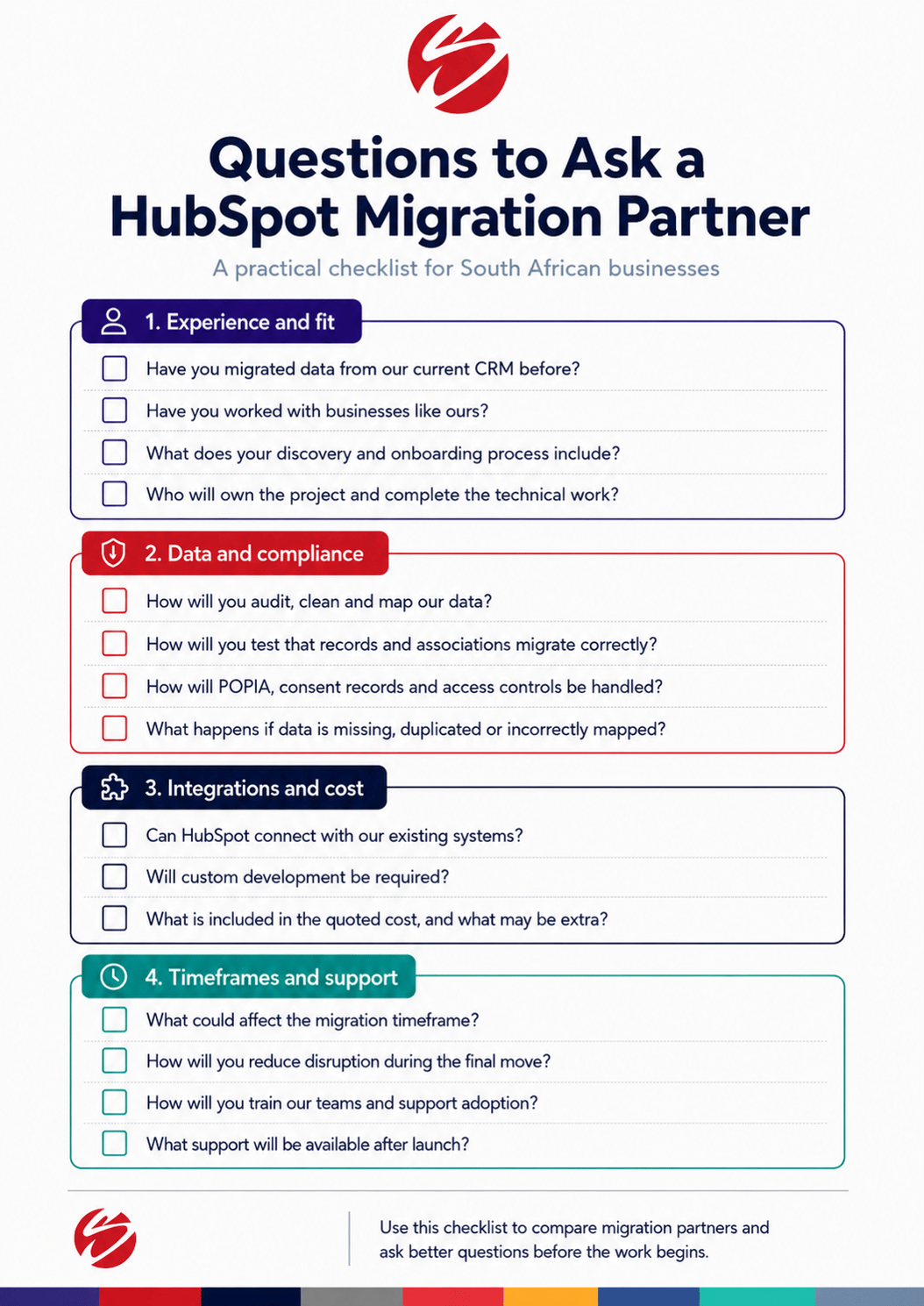
Questions to ask a HubSpot migration partner
A good migration partner should be able to answer specific questions about your data, systems, costs and risks. Use this checklist to move beyond general promises and understand how the migration will actually be handled.
Make the move with confidence
A CRM migration can reset the way your business works. Done well, it gives your teams cleaner data, clearer visibility and a system they can rely on instead of workarounds.
That outcome starts long before launch. It comes from choosing a partner who asks the hard questions, spots the risks early and gives your team the support to make the change stick.
Considering a move to HubSpot? Speak to our experts about building a migration plan that gives your business a stronger way forward.
🎯How we chose these seven factors
We chose these factors based on our experience with HubSpot onboarding and CRM implementation, along with the areas that most often affect a migration in practice: onboarding fit, migration capability, data quality, compliance, integrations, cost and long-term adoption.
We then considered the specific needs of South African companies, including POPIA requirements, sensitive information and complex legacy systems.
Together, the seven factors give you a practical way to assess a migration partner before the work begins.
|
FAQs
What does a step-by-step CRM migration process to HubSpot involve?
A typical CRM migration process includes discovery, data auditing, data cleaning, field mapping, HubSpot configuration, integration setup, test migrations, user acceptance testing, training and final deployment. The exact steps will depend on the condition of your data, the complexity of your legacy CRM and the number of teams involved.
How can South African businesses maintain POPIA data privacy and compliance during migration?
Before importing data into HubSpot, review why each type of personal information was collected, whether it is still needed and whether your business has a lawful reason to keep processing it. Consent, opt-out records, access permissions, retention rules and cross-border data hosting should also be checked before the migration begins.
What determines the CRM total cost of ownership when switching to HubSpot?
The total cost of ownership can include HubSpot licences, onboarding fees, data cleaning, migration work, integrations, third-party subscriptions, training and ongoing support. It is important to compare both once-off and recurring costs rather than looking at the software licence alone.
What are the average timeframes for migration from legacy CRMs to HubSpot?
A smaller migration with clean data and limited integrations may take around two to four weeks. Mid-sized or more complex migrations can take six to twelve weeks or longer, depending on data quality, custom requirements, internal approvals and the number of systems involved.
Can HubSpot integrate with South African business tools?
HubSpot can connect with many third-party platforms through Marketplace apps, data sync, middleware and custom API integrations. This may include accounting software, ERP systems, messaging platforms, billing tools and service systems, although each integration should be checked against your exact data and workflow requirements.
What should you look for in a HubSpot migration partner?
Look for a partner with relevant migration experience, strong data-quality processes, knowledge of POPIA, technical integration capability and a clear approach to training and adoption. They should also be transparent about costs, risks, timeframes and the support available after launch.
How can businesses reduce disruption when migrating to a new CRM?
Plan the move in stages, complete test migrations and give users time to validate the new setup before go-live. A clear cutover plan, defined data-freeze period, role-based training and early post-launch support can help reduce disruption.