The secret to HubSpot’s evolution lies in its community. By consistently redefining what a unified customer platform can do, HubSpot serves as a powerful engine for connecting data, AI, and teams across every department. Whether you're in sales, marketing or service, the platform is designed to help your business scale with intelligence.
Innovation at HubSpot never sleeps. Every month brings a fresh wave of enhancements designed to solve real-world user challenges. And because the platform evolves so quickly based on user needs, staying up to date is vital.
Each month we do the heavy lifting and curate the most relevant updates to help you keep growing with HubSpot. Here’s this month’s list:
Here are our favourite HubSpot Product Updates for April 2026:
1. Password protection on quotes
You can now export marketing emails as PDF or HTML files directly from the email editor or the email performance page. This makes it easy to download and share an exact version of your email design outside of HubSpot.
Commerce hub has brought a number of great features to the platform, offering businesses a powerful way to accelerate your quote-to-revenue process. Quoting through HubSpot has always been easy and integrated. Now this update adds a layer of protection to quoting, giving teams even more control over what their customers see.
Use case: Protecting quotes, which often contain sensitive data like pricing, terms, and proprietary company information, is essential to ensure they only reach the intended recipients. For companies in regulated sectors or those handling high-value deals, unrestricted quote access presents a substantial security risk. Implementing password protection is the solution: it empowers sellers to share quotes securely and provides buyers with a professional, trustworthy experience. This new update allows administrators to maintain and enforce unified security protocols across all representatives and every single quote.
Please note:
- PDF downloads are not password-protected. Password protection only applies to buyers accessing the quote via the shareable quote link.
- Authentication is by password only. The system does not currently verify the buyer's identity against their CRM contact record. Contact-based authentication (magic links) is planned for a future milestone.
- Passwords are not inherited across quote types. If a quote is converted to a change or renewal quote, a new password must be set.
Available in: Commerce Hub Professional and Enterprise
2. Throttle marketing emails
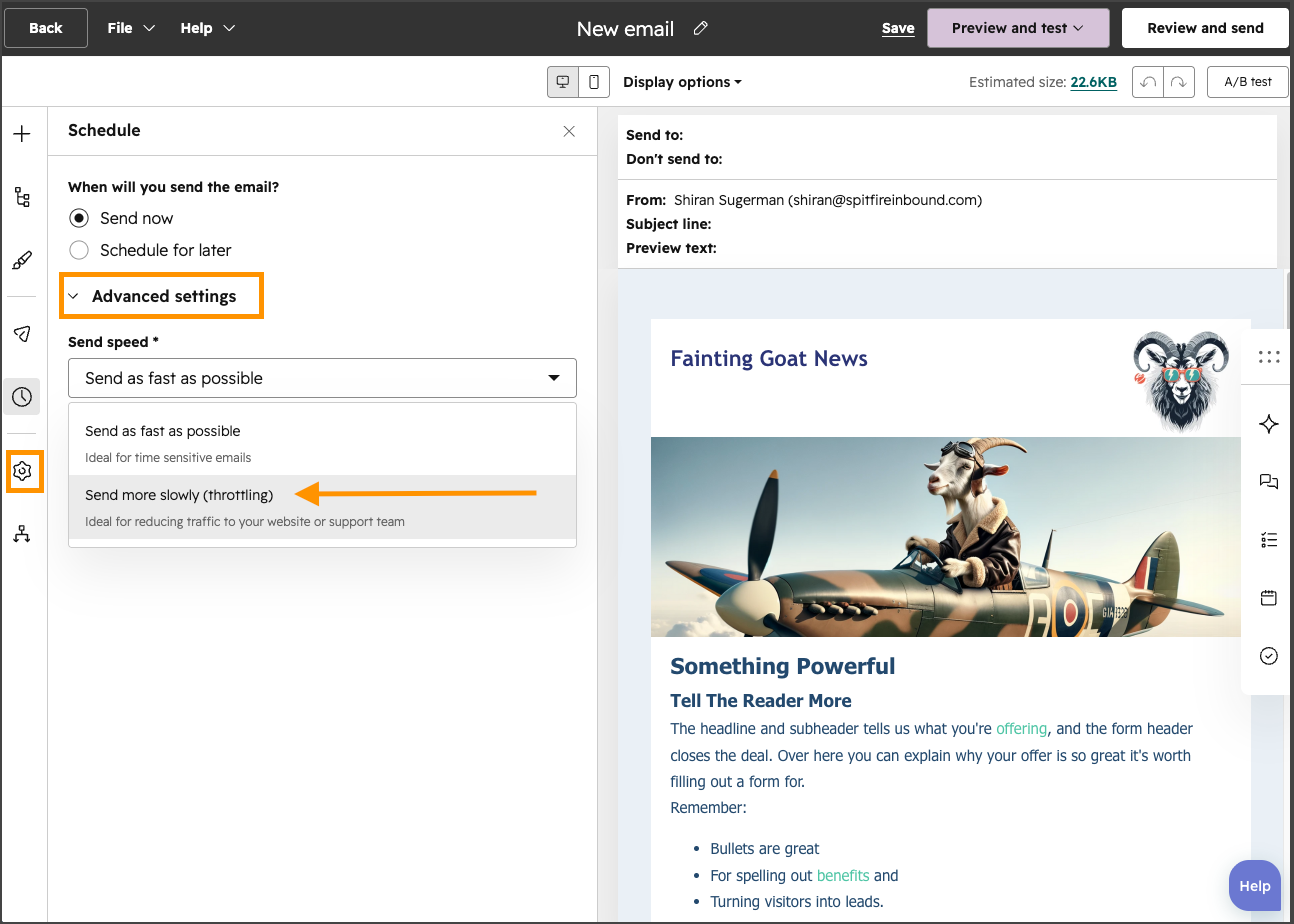
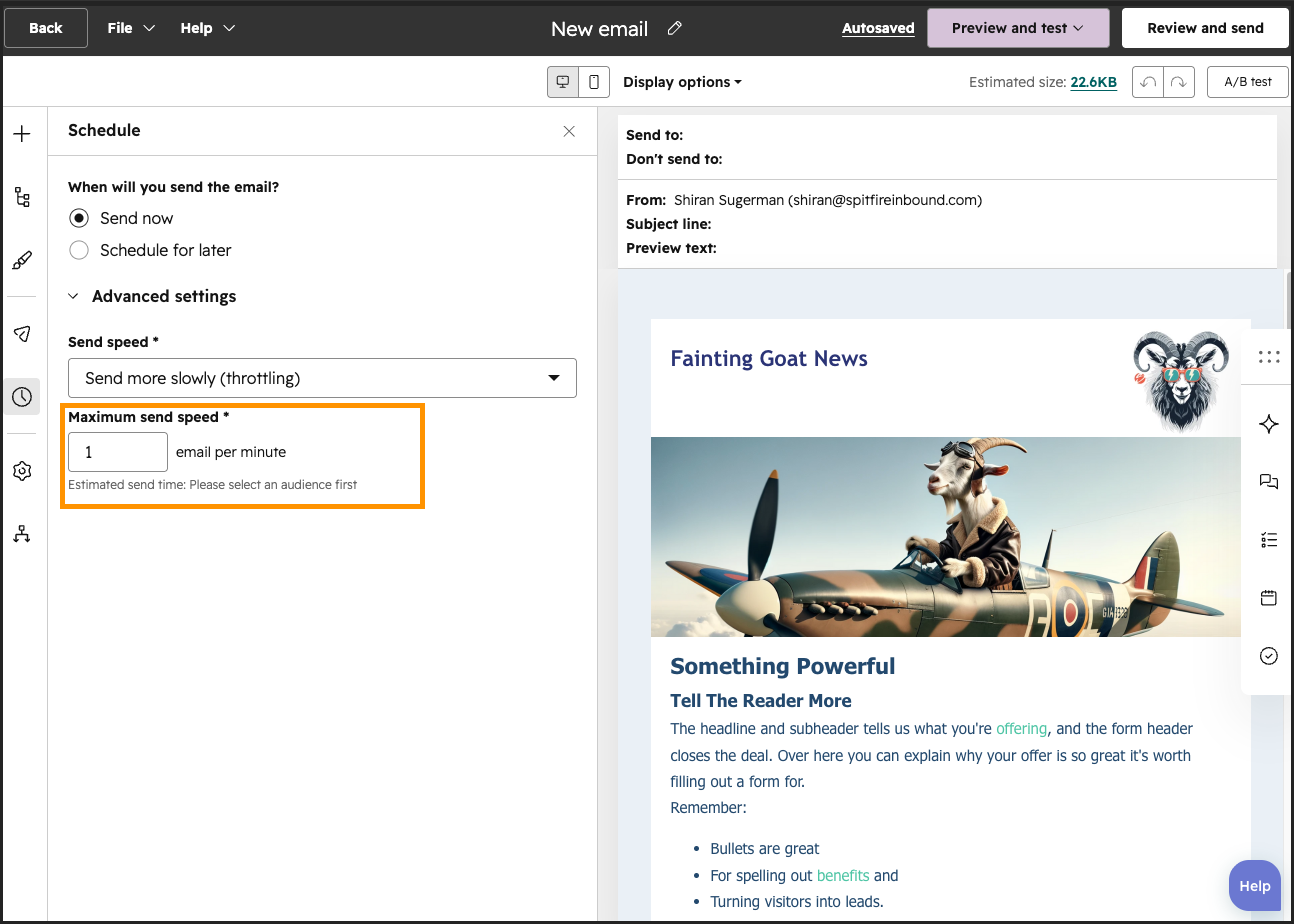
Reducing your send rate might sound counterintuitive, but by doing this, you actually achieve a more consistent pattern that enhances deliverability and builds trust with receiving servers, which is key to ensuring your emails don’t end up in someone’s spam folder.
Use Case: You’re looking for a strategy that protects your systems and teams by spreading email sends activity over a longer duration, with the goal of mitigating the risk of traffic spikes that could overwhelm your website or support channels.
3. Publish to and Monitor Reddit conversations in HubSpot
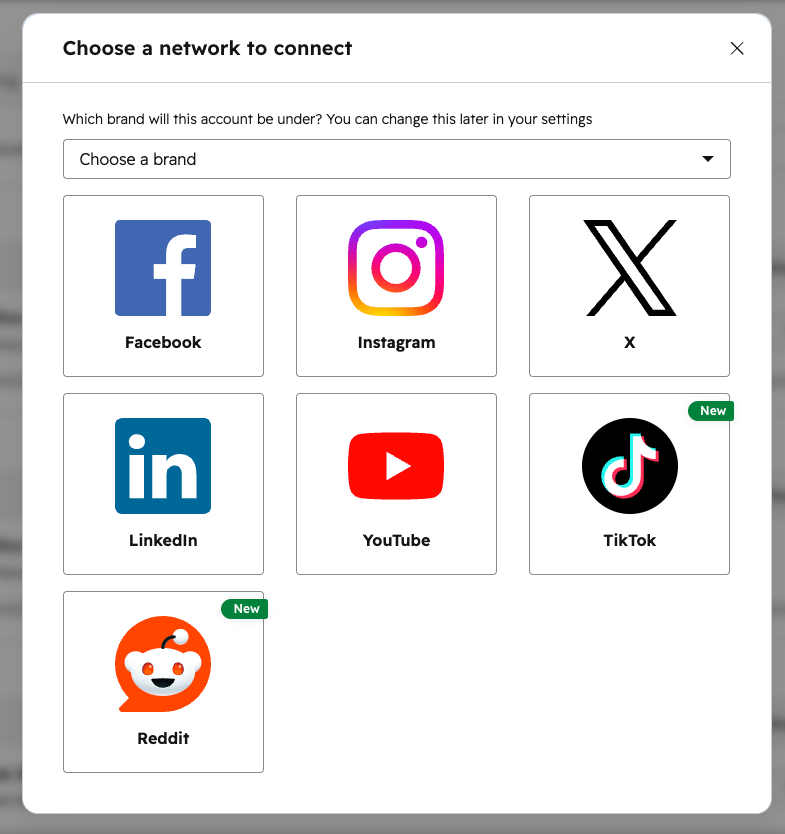
Reddit has cemented its position as a critical platform that forward-thinking businesses must monitor and actively engage with. With over 100,000 highly active and deeply engaged communities, known as subreddits, it offers an untapped environment for digital marketing and HubSpot knows this. This new update brings Reddit into your HubSpot portal.
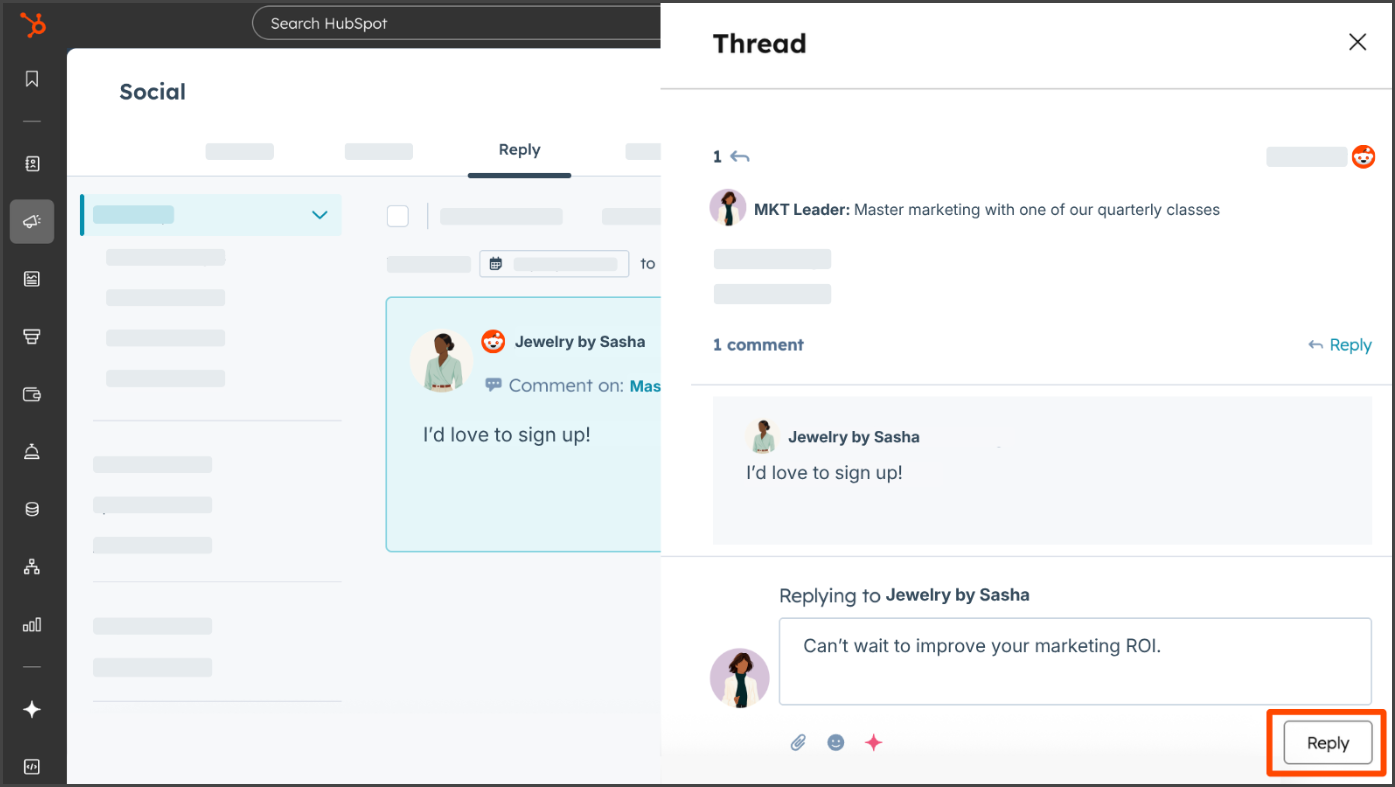
Use case: Businesses often lack visibility into unfiltered brand and competitor discussions on Reddit, and this hinders your ability to inform strategy and respond to shifting market perceptions. Now, you can post directly to subreddits, reply to threads, track performance and get direct access to actionable, decision-ready Reddit insights directly in HubSpot. This update lets you track brand sentiment, monitor competitor mentions, and pinpoint high-value threads for engagement.
Available in: Marketing Hub Professional or Enterprise.
What’s gone live?
Features don’t stay in Beta forever, but you might have also missed the Beta entirely and now something new is live in your portal. Here’s what you should check out this month:
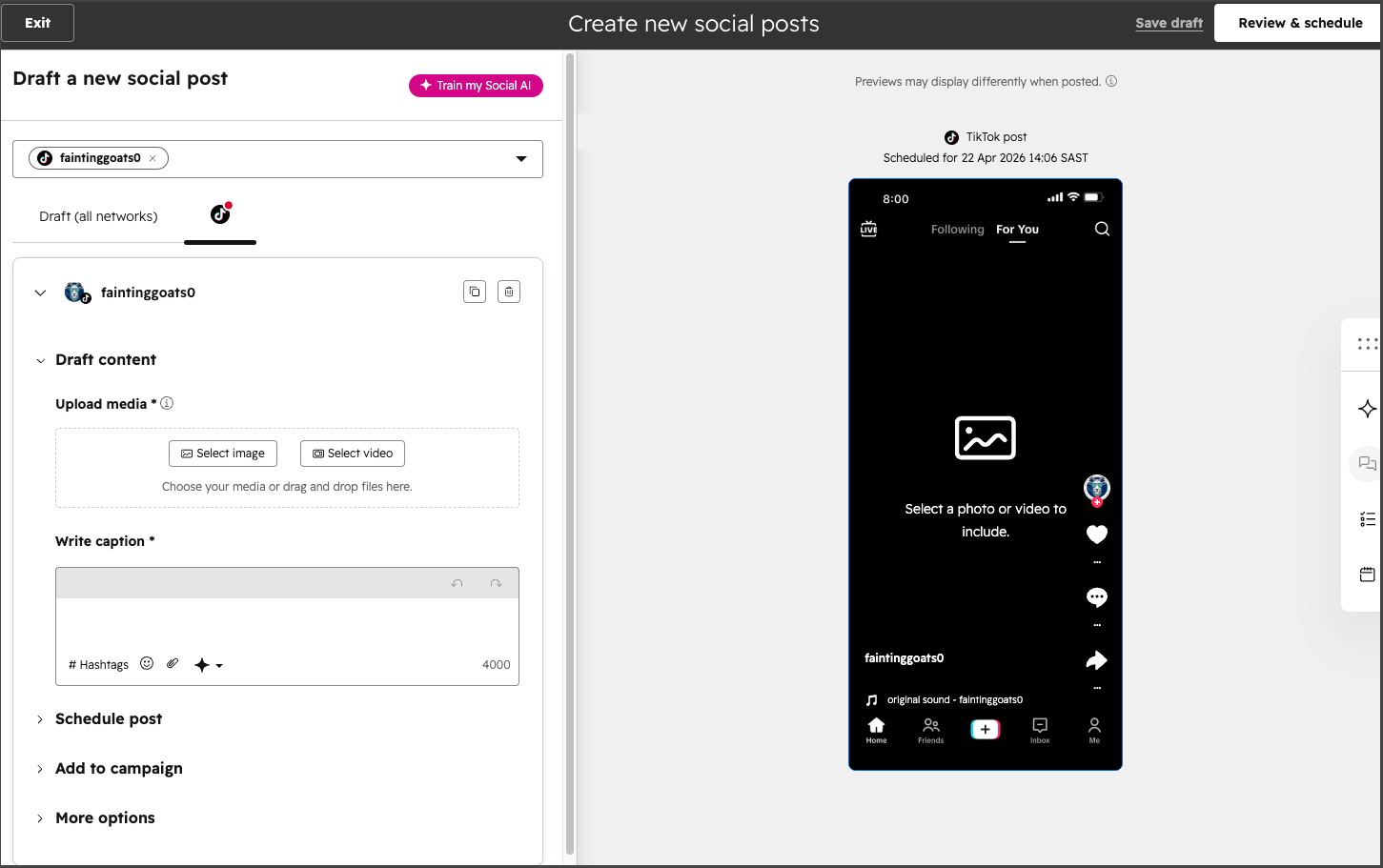
1. Connect and Publish to TikTok through HubSpot
It’s official, TikTok is now a platform you can manage and report on in HubSpot!
TikTok is a growing platform for business and being able to bring that data into HubSpot means no more fragmented data and manual work from managing TikTok in a separate tool. Schedule, publish, reply to comments, and report on metrics in HubSpot just like all other platforms.
2. Connect TikTok ads to HubSpot
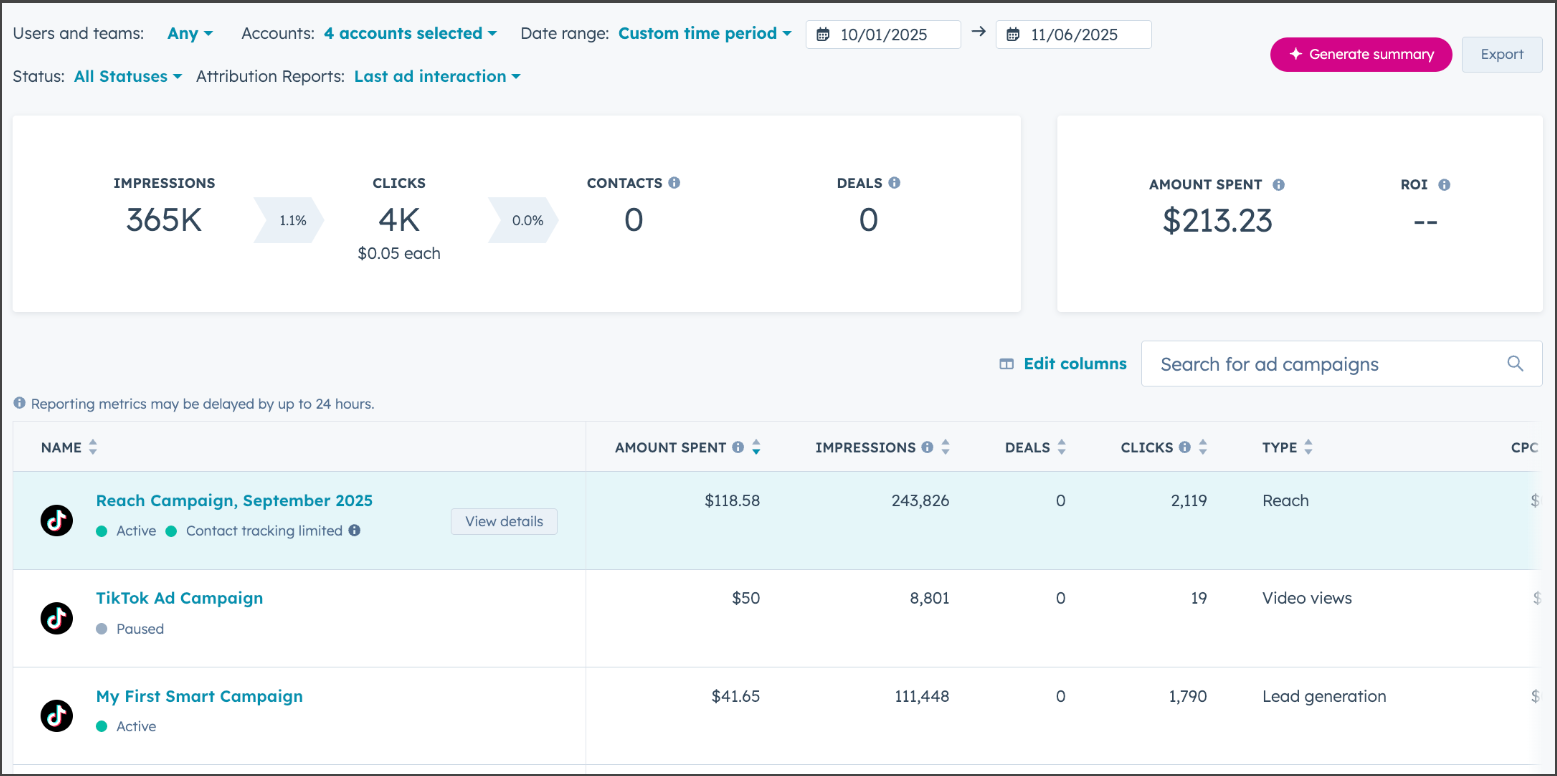
TikTok is a platform that offers a number of benefits for businesses doing paid media and the data gathered from this platform is key to your marketing strategy. Now you can bring that data into HubSpot and report on your ROI.
Use Case: This update streamlines your social advertising strategy by integrating TikTok For Business directly into your HubSpot portal. Beyond high-level metrics, this integration offers deep CRM insights by attributing specific contacts and deals to your TikTok campaigns, enabling you to sync contact segments as targeted audiences and easily deploy tracking pixels to your website for improved conversion data.
Our Performance Marketing expert, Christopher Brown, had this to say about this update: “In the past, getting TikTok Ad leads into HubSpot meant building complex integrations using tools like Zapier and Google Sheets. While effective, these solutions are time-consuming to implement, require ongoing intervention and always carry some risk of errors, delays or data inconsistencies. The direct integration simplifies the process significantly, reduces the risk of errors and ensures leads flow through in real time. From a performance perspective, that kind of efficiency makes a real difference in improving response times, maintaining data accuracy and creating a more scalable foundation for campaign growth.”
3. Easily find reports you’re not using
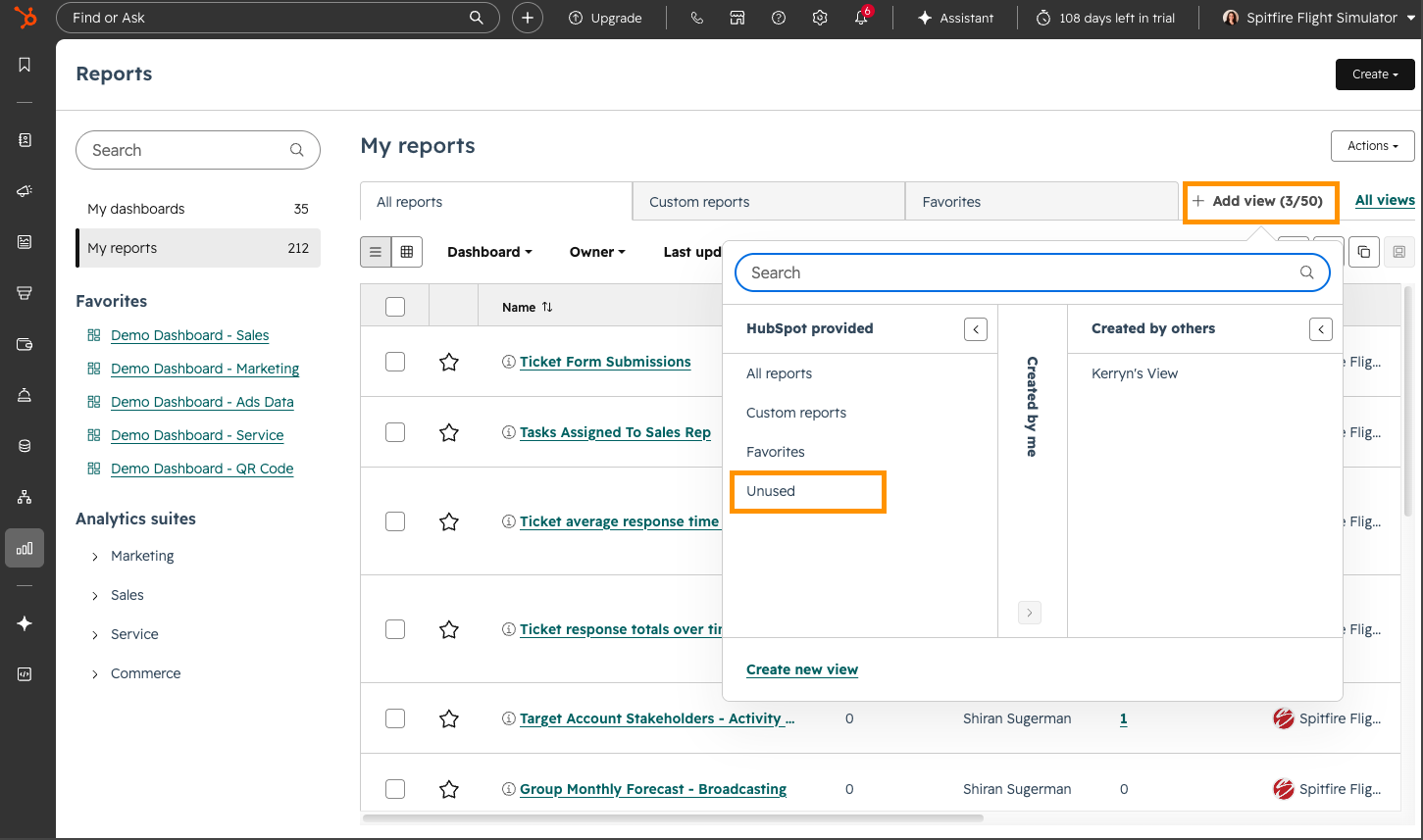
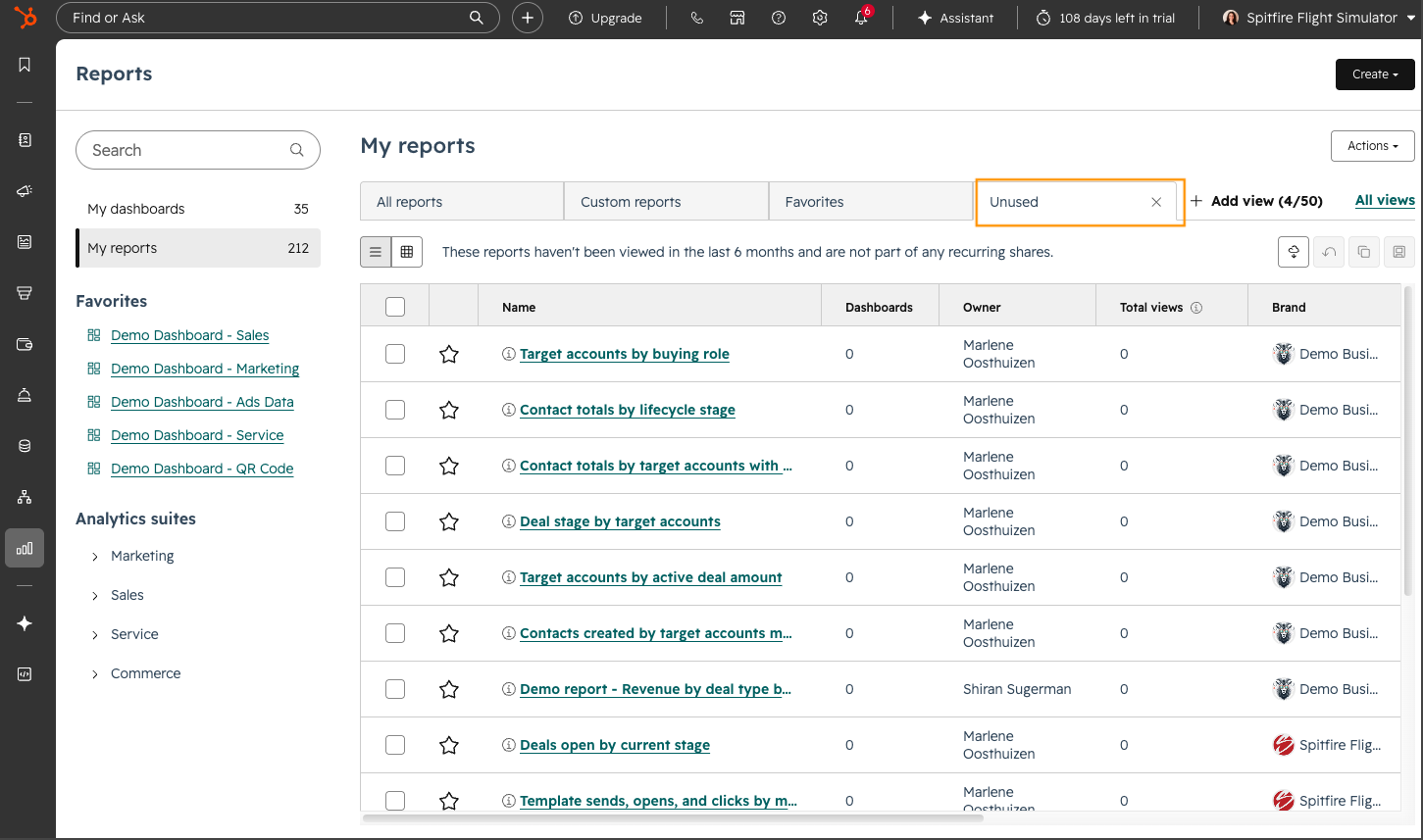
Reporting is a vital function in any system, if you can’t report on the data and activities in your portal, you won’t know if what you’re doing is working. But the problem that often arises in portals is that reports get built by multiple users. And managing an increasing number of reports can make it difficult to determine which ones remain relevant.
Use case: Reports that go unused clutter your list, making it challenging for you and your team to locate the reports you actually need. This new view helps you identify and delete obsolete reports, keeping your list focused on the data you actively use in the last 6 months.
Available in: All hubs and tiers (excluding Free portals)
4. Transfer calls in HubSpot
If you use calling in HubSpot this update is going to make your life easier. Not all calls end up going to the right person. Being able to transfer that call to another team member means the customer gets a seamless experience while also talking to the right person.
Use case: Users can now seamlessly transfer both Inbound and Outbound calls, ensuring that every conversation (regardless of who initiated it) can be routed to the right person. And now this functionality has been expanded to support movement between workspaces and individual phone numbers, breaking down silos and allowing for more efficient collaboration across the entire organisation.
Available in: Sales and Service Professional and Enterprise
Good to know: Still using the Legacy Cookie Consent Banner (v1) in HubSpot? Then it’s important to note that starting on 11 May 2026, HubSpot will resume the automatic migration to (v2). The rollout of this update, previously announced and then temporarily halted for manual adoption, will now proceed automatically. This migration is vital as it guarantees all accounts utilise an updated banner that complies with modern accessibility standards and incorporates the latest privacy features. Although the migration is scheduled to occur automatically, you have the option to manually opt-in before the automatic date to test the new version in your account. Read more >>>
How to access Beta updates
Like we said, HubSpot loves to listen to its users, so not all updates are immediately live. Many start off in Beta where you have the opportunity to test and comment on these changes.
If you don’t see the update in your portal, you can enrol in the Beta. This is an easy and quick step to do. Take a look at the step-by-step process below for instructions:
Good to know: While the majority of features in Beta do go live, HubSpot doesn’t guarantee that every Beta will go live and may still be removed.
Want to become a HubSpot pro? Join the Advanced HubSpot User Group and get invites to hands-on workshops, practical deep dives, and fresh perspectives designed to take you from confident to seriously advanced in HubSpot.
What to find out how you can get the most out of your HubSpot portal? Contact us for a portal audit, or explore our HubSpot Onboarding services.