By leveraging data-driven insights and valuable recommendations from its community, HubSpot consistently refines its unified customer platform. The result is a seamlessly integrated environment that enables your data, teams, and artificial intelligence to expand efficiently across service, sales, and marketing functions.
We track these monthly updates and showcase key features to keep you in the know. Here are our picks for the month:
Here are our favourite HubSpot Product Updates for August 2026:
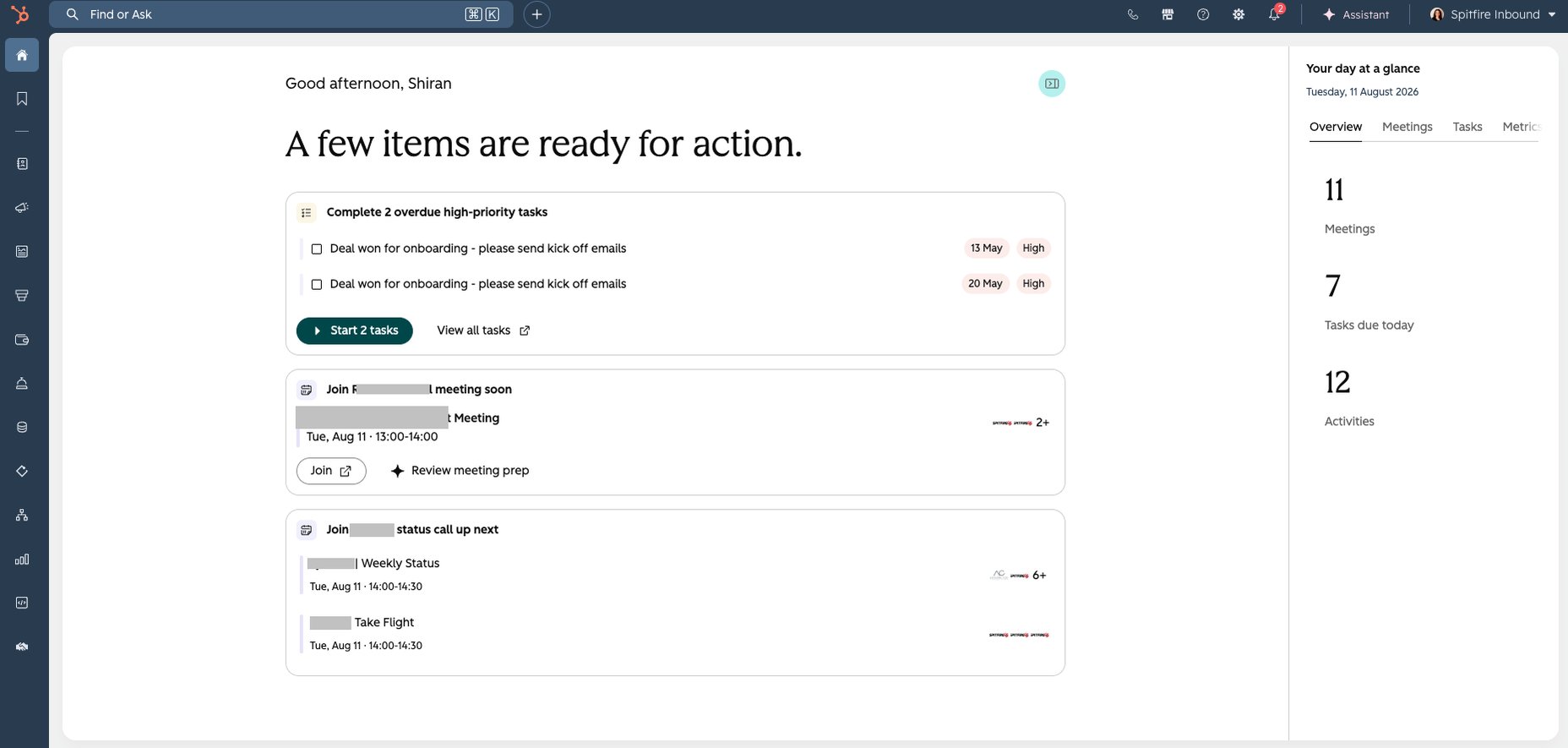
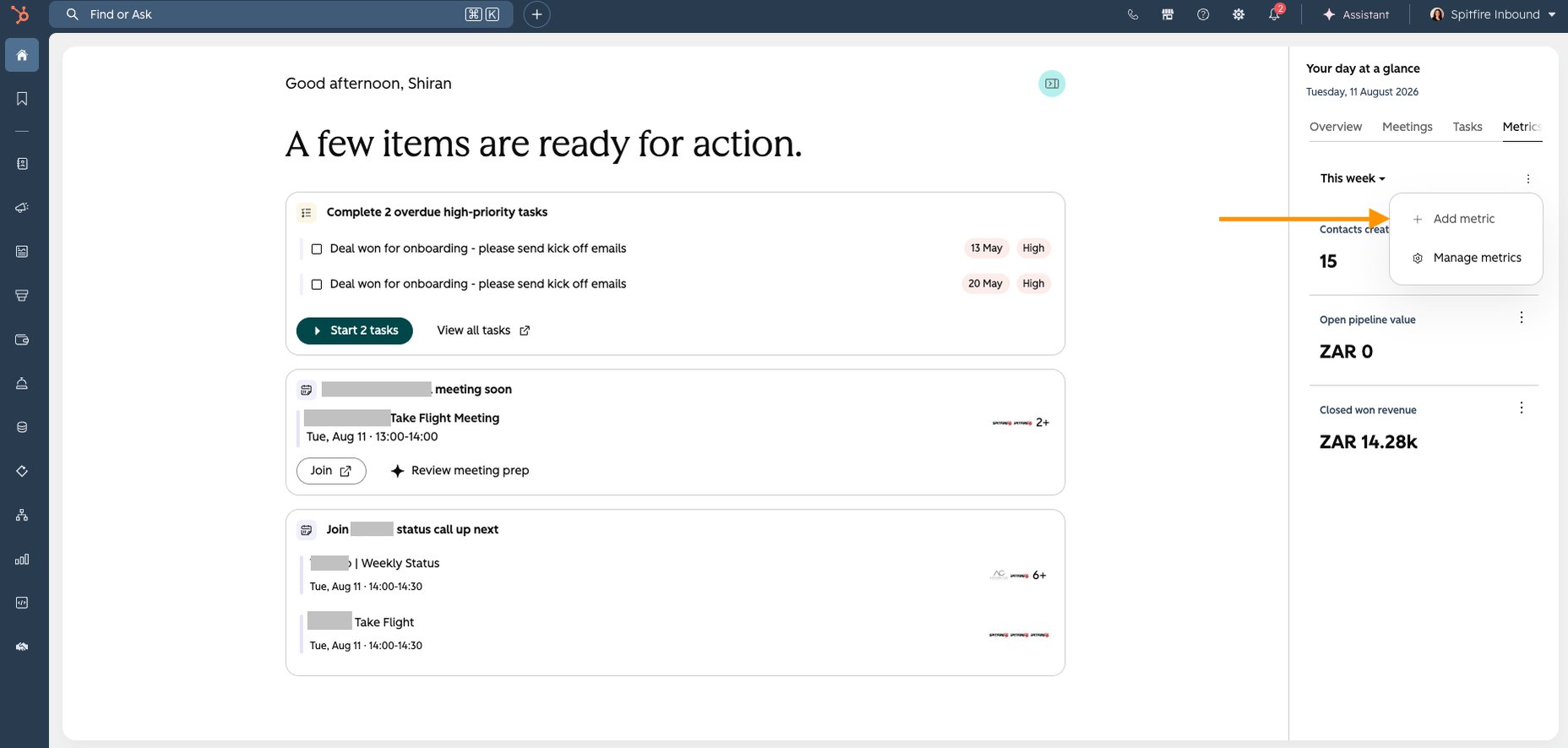
1. New HubSpot Home Feed layout
HubSpot Home is being redesigned around a dynamic daily feed and sidebar, replacing the previous widget-based Global Home experience. The new layout brings together relevant activity from across HubSpot, including upcoming meetings and meeting preparation, priority tasks, Prospecting Agent reviews, onboarding tasks and email replies requiring action. The experience is currently optimised around sales workflows, with additional customisation, agents and sidebar widgets planned.
Use Case: The new Home is designed for users who regularly move between different areas of HubSpot to work out what needs their attention. Bringing meetings, tasks, prospecting activity and important replies into one prioritised feed can reduce time spent navigating between tools and help sales users identify their next actions more quickly.
Available in: All HubSpot hubs and tiers
Note: Existing customers need to enrol in the beta to access the redesigned Home. Joining the beta will also move users to HubSpot’s new theme, and the new experience replaces the old Global Home.
2. Merge rules for duplicates
HubSpot has introduced Merge Rules in Data Quality, giving you more control over which record becomes the primary or ‘winning’ record when merging duplicates. Now you can create rules based on CRM data, with up to five conditions evaluated sequentially before applying a final tiebreaker. These rules can then be selected when reviewing and merging duplicate records, providing more flexibility than basic criteria such as creation date or most recent engagement.
Use Case: This is particularly valuable for companies managing large volumes of duplicate data where manually choosing the correct record is inefficient. Admins can define consistent criteria based on the information that matters to their business, helping teams merge records in bulk with greater confidence while maintaining better CRM data quality.
Available in: Data Hub Professional and Enterprise
Note: HubSpot plans to expand Merge Rules to support property overrides, allowing values from secondary records to replace values on the winning record. This functionality is not yet available.
3. Dashboard caching
HubSpot now lets users control how long reporting dashboards retain loaded data, with cache durations ranging from five minutes to seven days. Once enabled through a dashboard’s Cache Settings, HubSpot uses the cached data until the selected period expires or the dashboard is manually refreshed. Each report also displays a ‘Last updated’ timestamp, making it clear how current the displayed data is. Dashboard caching is switched off by default.
Use Case: This is particularly useful for teams working with complex dashboards that can take longer to load but don’t always need real-time data. Setting an appropriate cache duration can make frequently accessed dashboards quicker to view, while the manual refresh option means users can still pull the latest data before important meetings, reviews or decisions.
Available in: All HubSpot hubs and tiers
4. Calendar view permissions for meeting booking
HubSpot now gives users more control over the calendar information coworkers can see when booking meetings on their behalf. In Calendar settings, users can choose between showing non-HubSpot calendar events simply as ‘busy’ or sharing full event details. The default remains ‘busy’, and events marked as private will always have their details hidden. HubSpot meeting activities remain visible according to existing user permissions.
Use Case: This is useful for sales and service teams where assistants, managers or colleagues regularly schedule meetings for other users. Sharing appropriate calendar details gives the person booking more context about existing commitments, helping them choose suitable meeting times while allowing individual users to maintain privacy where needed.
Available in: Sales Hub and Service Hub Professional and Enterprise
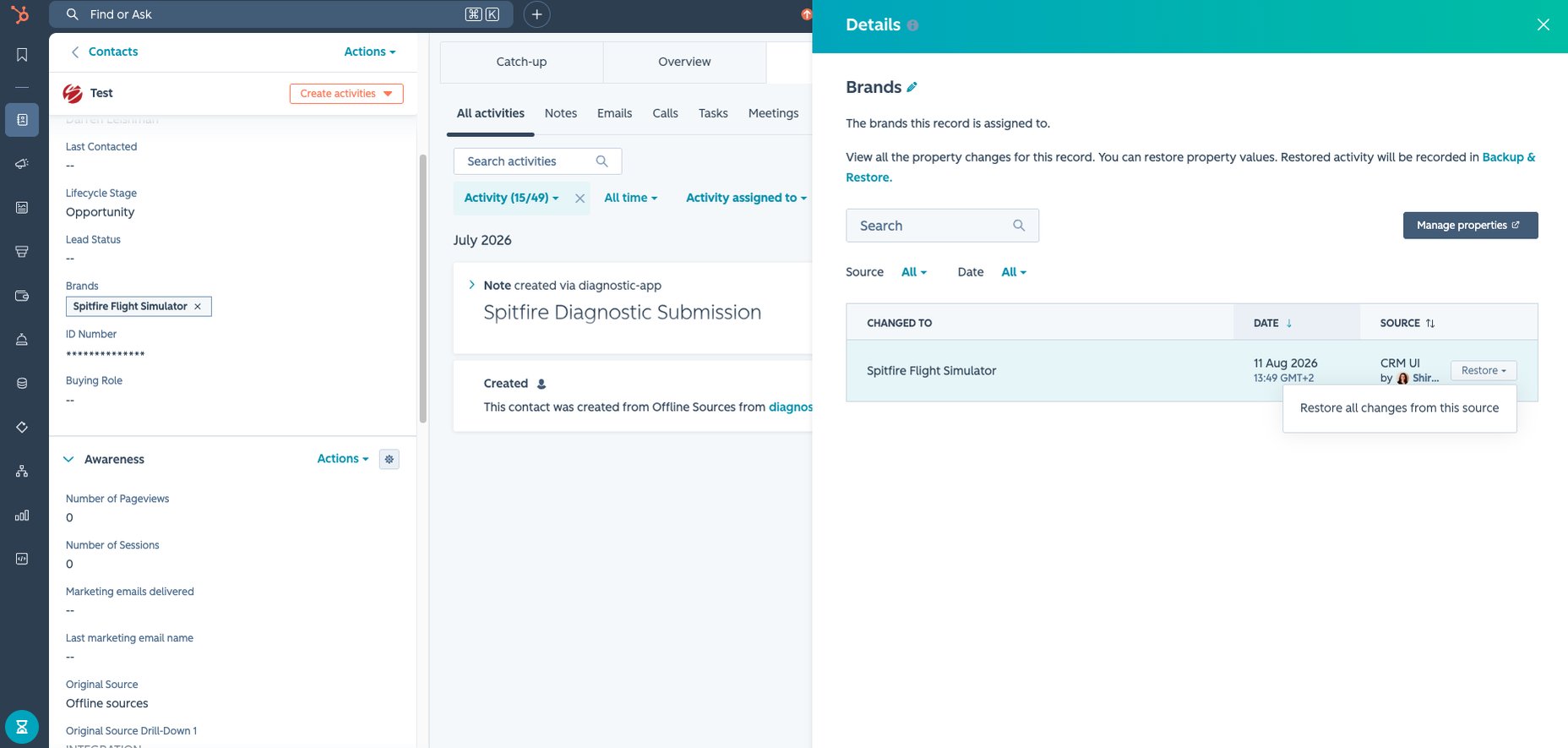
5. Restore property changes from record history
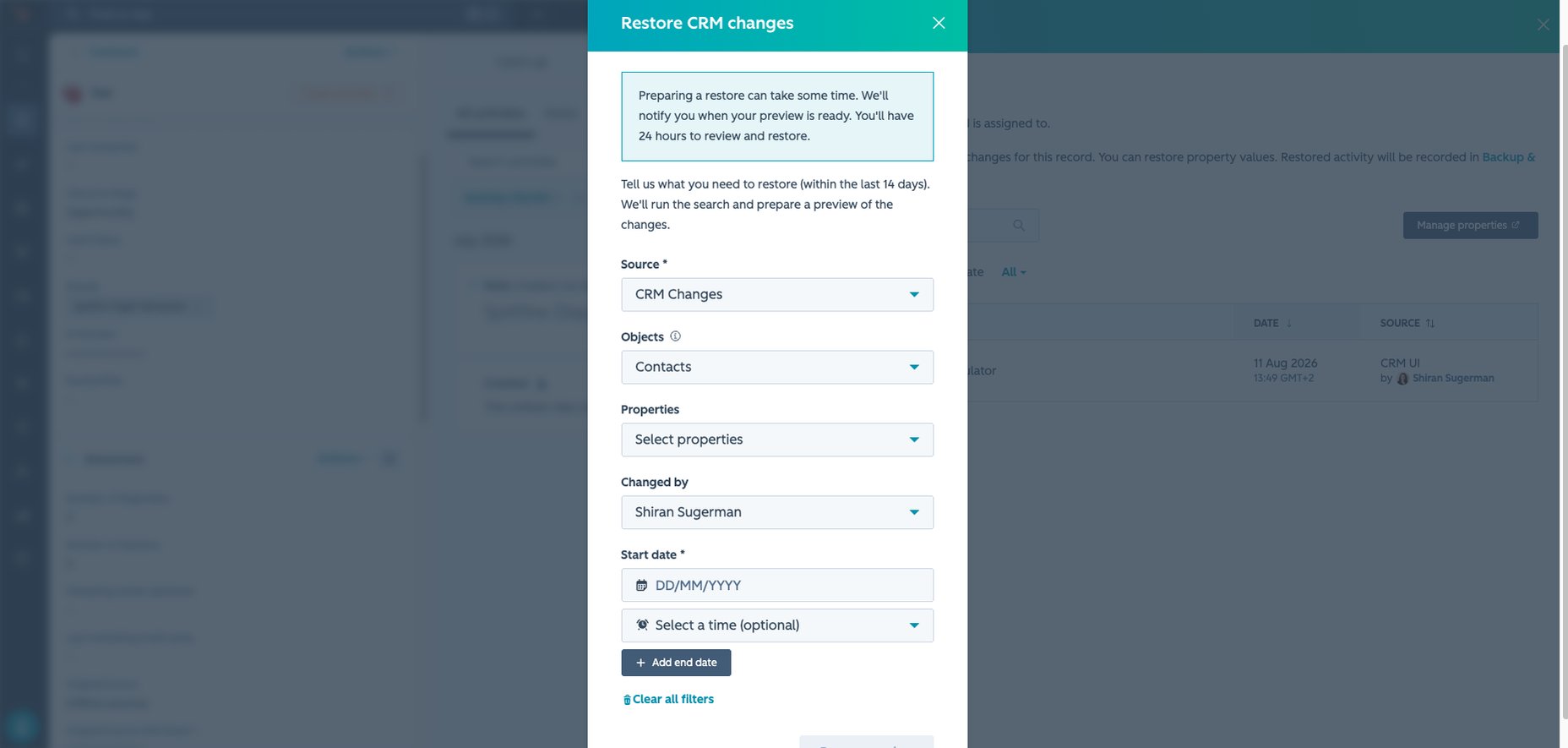
HubSpot has updated the property history table on record side panels with a cleaner layout, new column structure and filtering, alongside a direct option to restore certain property changes. For changes made through a CRM UI edit, import or workflow, Super Admins can select ‘Restore all from this source’ and review the affected records in the CRM Restore preview before confirming the restore. Read-only properties are automatically excluded.
Use Case: This makes it easier for admins to investigate and correct problematic CRM updates without leaving the record and recreating their criteria in a separate restore tool. For example, if an import or workflow incorrectly changes property values across multiple records, a Super Admin can identify the source and begin restoring the affected data directly from the property history.
Available in: All HubSpot hubs and tiers
Note: The restore functionality is only available to Super Admins and applies to supported changes originating from CRM UI edits, imports or workflows.
What’s gone live?
While features don't remain in Beta indefinitely, it’s easy to miss the testing phase altogether before they officially launch in your portal. Here are the latest live updates you should explore this month:
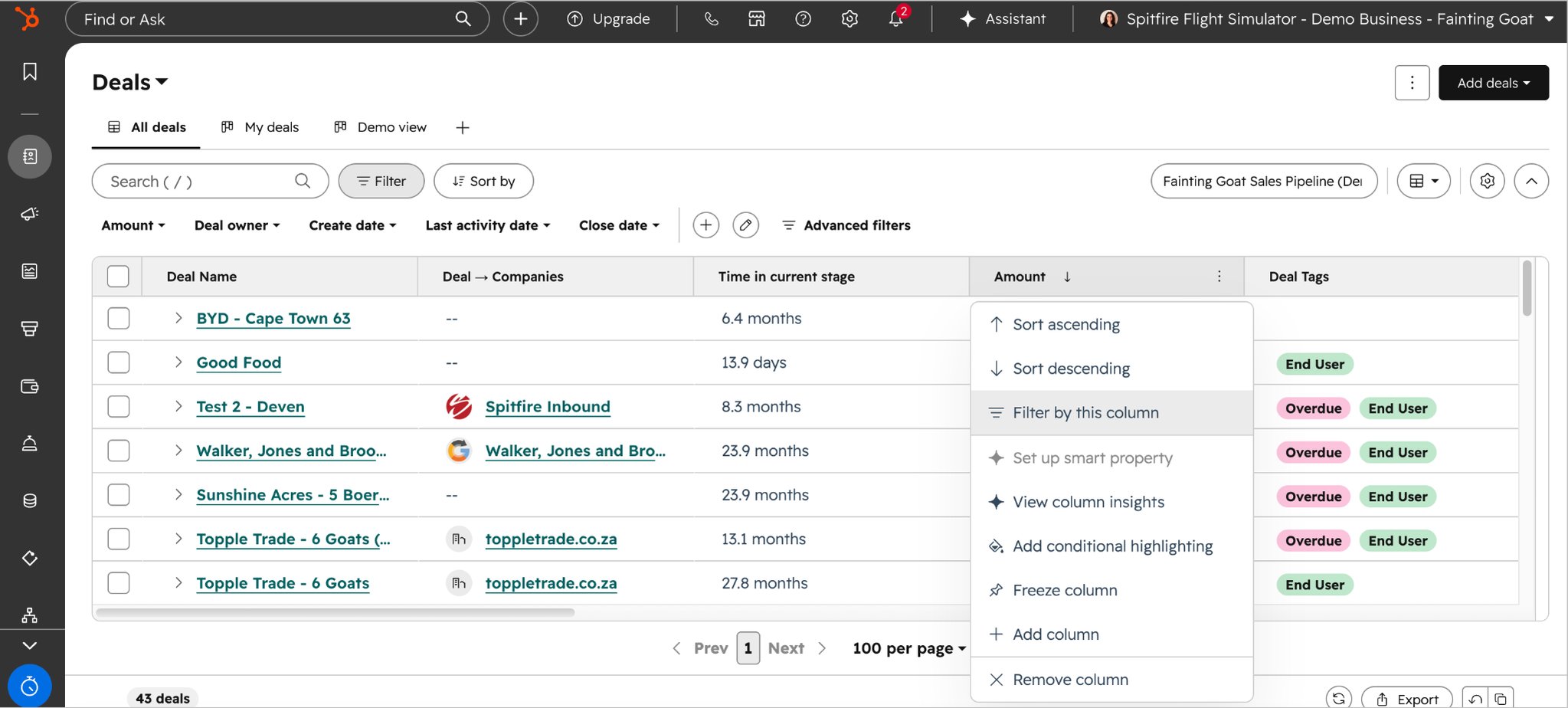
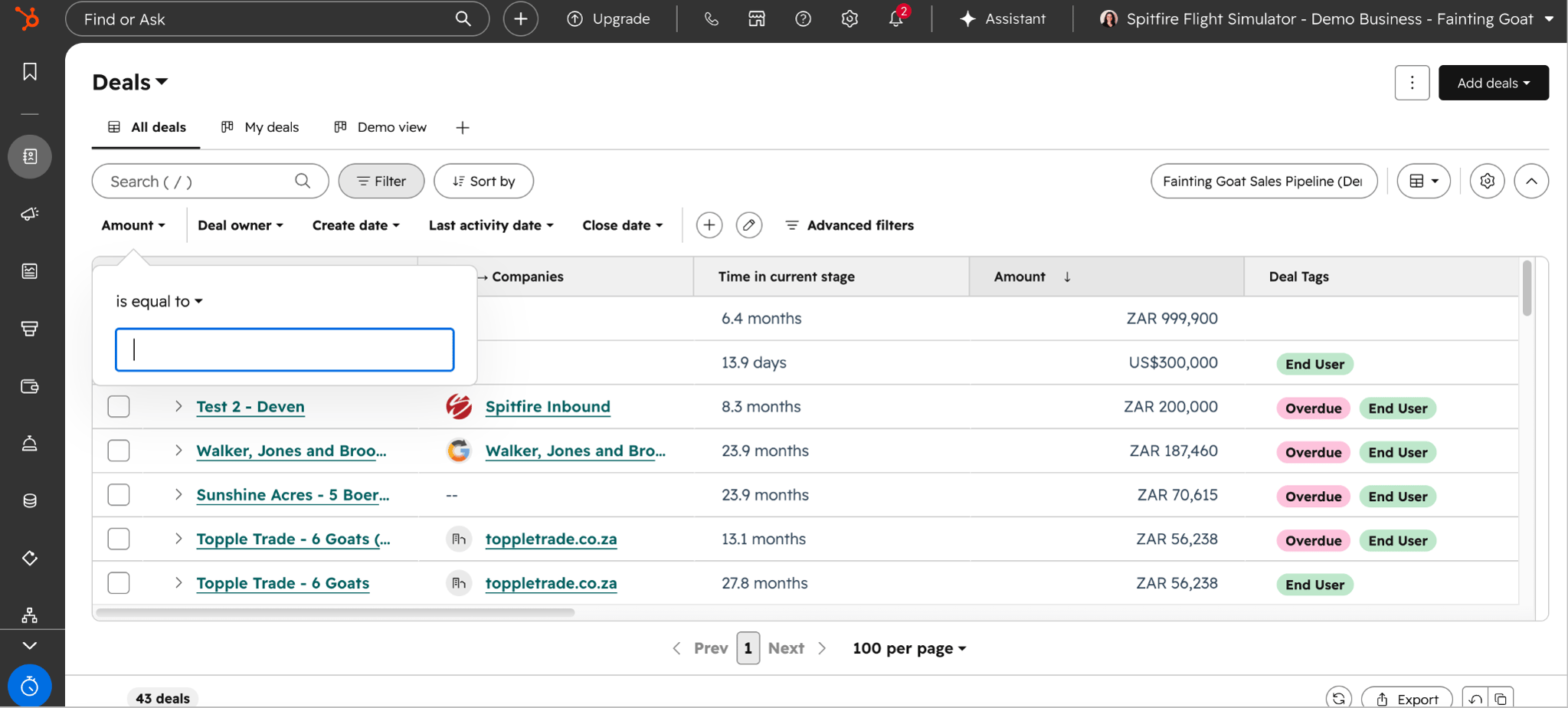
1. Filter CRM records from column headers
HubSpot users can now filter records directly from column headers on CRM index pages. Instead of opening the separate filtering menu and searching for the relevant property, users can open a column’s context menu and select ‘Filter by this column’. This introduces a more familiar, spreadsheet-style way to quickly narrow down the records displayed in a CRM table.
Use Case: This makes everyday CRM management quicker for users who regularly need to focus on specific groups of contacts, companies, deals or other records. For example, a sales rep reviewing their pipeline can filter directly from a relevant column to find deals with a particular status or property value, reducing the steps needed to get to the information they need.
Available in: All HubSpot products and pricing tiers
How to access Beta updates
If a particular update hasn't appeared in your portal yet, you can easily and quickly enrol in the Beta. Just follow the step-by-step process outlined below for more details:
Good to know: While the majority of features in Beta do go live, HubSpot doesn’t guarantee that every Beta will go live and may still be removed.
Ready to master HubSpot? Join the Advanced HubSpot User Group for exclusive access to hands-on workshops, practical deep dives, and innovative strategies.
Want to find out how you can get the most out of your HubSpot portal? Contact us for a portal audit, or explore our HubSpot Onboarding services.